

Headless 360: new label or new value?




Back in February, we wrote about how MuleSoft was getting your IT landscape ready for AI. The foundation. But how do you actually get an AI agent to take action in your organization? And how do you stay in control while it does?
The June Edge release and the introduction of Omni Gateway answer exactly that.
Say you have an integration with SAP that creates orders. That integration already exists, works well, and was carefully built by your IT team. Until recently, an AI agent couldn’t do anything with it. AI speaks a different language, and you had to build a translation layer for every system.
The new MCP Bridge in Omni Gateway handles that translation automatically. Your existing integrations become available right away as tools that AI agents can call, with no changes to what you’ve already built, and with all the security rules you already had in place still applying.
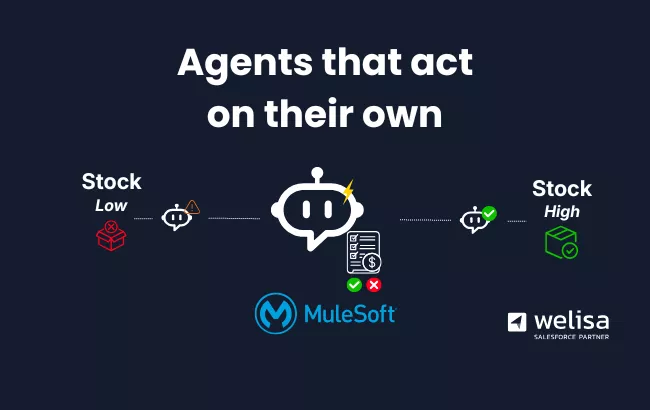
What that looks like in practice: that SAP integration can now be driven by an agent that reorders stock on its own when levels run low, confirms the delivery date, and logs the action.
A fair question at this point: why not just build a simple flow? For a single fixed process like this example, a flow is often faster and cheaper. The difference shows up once multiple agents need to use the same integrations for different tasks. At that point, you’d rather build the translation layer and its boundaries once, instead of a new flow for every scenario.
Once you let AI take action, the next question is: what is that agent actually allowed to do? Omni Gateway brings agents under the same regime as people and systems. You set which agent can perform which action, with which data, and how often. Every action leaves a trace, so you always know who did what, even when it wasn’t a person.
As you deploy more agents, language model consumption grows with them, and that’s something you want to stay on top of. With Custom Keys in Omni Gateway, you give each team its own budget limit for LLM consumption. If a team goes over budget, you see it immediately and can adjust course where needed.
One more improvement that sounds less exciting than it actually is: with the Mule Runtime 4.12.0 Edge release, you can now feed the health of your integrations directly into the monitoring tooling you already use, such as Datadog, Grafana, or New Relic. That means you spot delays and errors before a user has to call.
Where February was about access to data, this release is about action: agents that don’t just know things, but act on them, within the boundaries you set in advance.
→Also read: MuleSoft LTS: from technical update to the nervous system of your AI strategy
Wil je weten wat deze stap concreet betekent voor jouw landschap? Neem contact op via info@welisa.com of bel ons via +31 85 130 49 35.


 Multiple systems in one AI chat: how to build a scalable MCP architecture
